


Times Table - Learn Math
4.51.23K Reviews
App Specs
- Version
- 2.1.9
- Updated On
- License
- Free
- Downloads
- 10,000,000+
- Developer
- BrainSoft Apps
- Categories
- Educational
- Platform
- Android
Screenshots
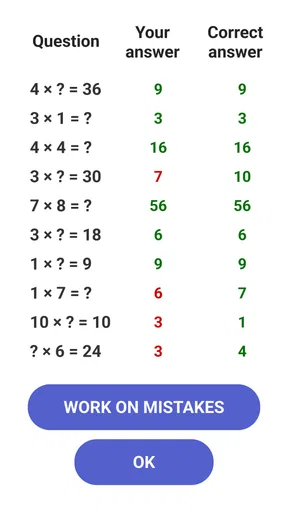
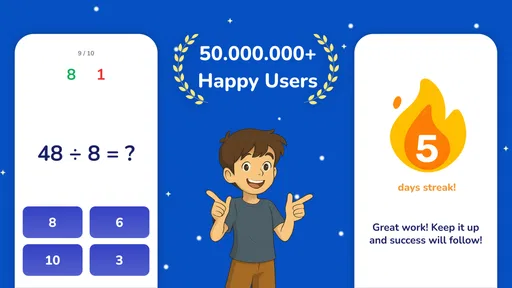

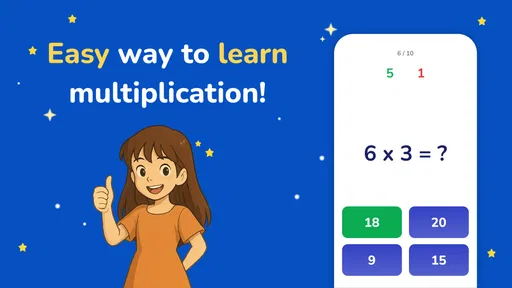
 Analysis by AppCompare
When multiplication facts feel like a jumble, I find it easier to practise them in short, focused sessions than to stare at a worksheet until I lose interest. That is the idea behind Times Table - Learn Math, an educational game from BrainSoft Apps. It is free to install, rated for Everyone, and has a 4.5 average from around 239,000 ratings, with over 10 million installs. Its purpose is specific: help learners get more comfortable with multiplication through game-based practice. That focus is useful, but it also sets a limit: this is a multiplication tool, not a full course in arithmetic.
A focused role in a learner’s routine
I would use it as a companion to schoolwork rather than as a replacement for teaching. A child who has just met multiplication can use a quick session to revisit facts after class, while a parent can use practice time to notice which products still cause hesitation. An adult who remembers the method but has become slow at recalling answers may also find short rounds a low-pressure way to sharpen fluency. The app is most useful when the goal is clear: practise multiplication regularly, not learn every part of maths from scratch.
That distinction matters because knowing a fact quickly is not the same as understanding why it is true. If a learner is confused about what multiplication means, I would first explain it with groups of objects, drawings, or equal additions, then use a game for recall. A score can show whether answers are coming more readily, but it cannot replace a person checking that the underlying idea makes sense. Used in that order, practice feels purposeful instead of becoming a race to tap the right answer.
Engaging Learning Experience
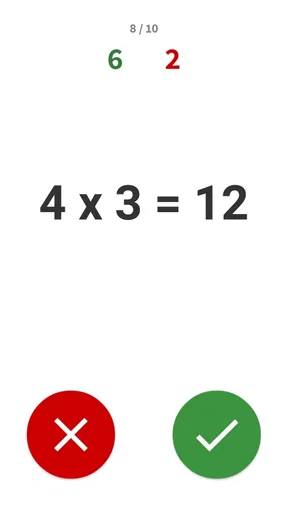
The first thing that caught my attention about Times Table - Learn Math is its user-friendly interface. The app isn’t just a bland educational tool; it’s designed with vibrant colors and fun animations that keep you engaged. The developers clearly put a lot of thought into making it visually appealing, which is crucial when you're trying to keep someone’s attention on math.
For readability, a lively screen can make a practice session feel less like another worksheet, especially for younger learners who need a reason to begin. I would still keep the screen at a comfortable distance and encourage the learner to pause if the movement or visual activity becomes distracting. A colorful design is not automatically easier for every person to process: someone who prefers calm, plain pages may concentrate better with printed questions. In that case, the app can be a change of pace rather than the main study method.
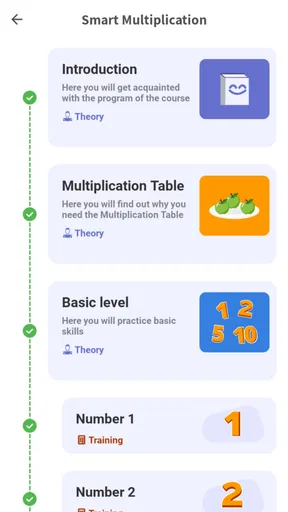
Navigation is worth judging by how independently the learner can use it. For a child, I would sit with them during the first session and let them explore the practice choices before expecting them to work alone. That small introduction helps reveal whether the labels and transitions make sense to them, and gives a parent a chance to agree on when to stop. If a learner keeps getting diverted by game elements instead of practising, setting a short, specific goal—such as working on one table—can make the session easier to manage.
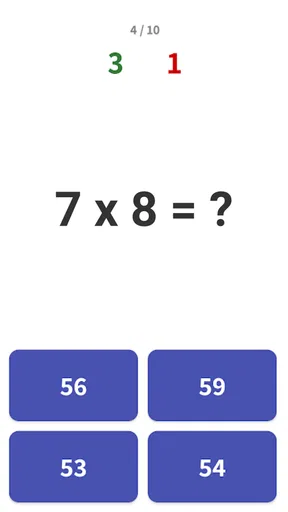
I found the use of gamification elements particularly effective. You’re not just rote learning; you’re playing games, earning points, and unlocking new levels. It’s like turning math into a game of its own, which is a fantastic way to motivate kids and even adults who need a bit of practice.
Worth Reading Before You Choose

Flipboard Shows What News Apps Must Do Beyond the Feed

Switching to Android Auto Means Rethinking Your Driving Routine

Google Calendar Makes a Crowded Week Easier to Manage

Ludo King Makes the Most of the Minutes Between Plans

Baby Panda World Brings Quick Play to Modern Phones, but Its Game Library Feels Busy

ESPN’s Live Game View Makes Following Close Games Easier
Keeping challenge useful rather than stressful
Rewards can help a reluctant learner get started, but I would treat them as a nudge, not proof of mastery. A child may enjoy collecting progress while still needing more time with a particular fact family. One practical habit is to ask them to explain a correct answer after a round: for example, how they know a product without guessing. That quick conversation keeps the game connected to number sense and helps distinguish confident recall from lucky taps.
The version available is 2.1.8, and the game has been around since its release on January 21, 2019. Those details may reassure someone looking for an established, narrowly focused practice app, but I would make the decision based on whether its approach suits the learner. The rating and large audience suggest many people have found it worthwhile; they do not guarantee that every child will enjoy its pace or style. I would try a brief session together before building it into a daily routine.
Features That Stand Out
One of the standout features is the adaptive learning path. The app adjusts the difficulty of the problems based on your performance. This means you won't get stuck on problems that are too hard or breeze through ones that are too easy. It’s all about finding that sweet spot to keep you learning effectively.
Adaptive difficulty can make practice feel less repetitive, but I would not assume it always matches a learner’s classroom needs. If a child is preparing for a particular table or lesson, choosing a focused practice session is more useful than relying only on whatever level of challenge appears next. A parent can also watch for a pattern: if a learner repeatedly slows down on the same facts, pause the game and practise those examples aloud or on paper. The useful insight is not just the result, but where recall becomes less secure.
Another neat feature is the multiplayer mode. You can challenge friends or other users in real-time math duels. Talk about a fun way to show off your math skills! The friendly competition can really boost motivation and make the learning process even more enjoyable.
Competition is a better fit for some learners than others. A child who enjoys a friendly challenge may find a duel energising, while someone who worries about speed or being wrong may do better practising privately first. I would let the learner choose whether competition feels fun rather than treating it as the default. It is also sensible to keep the purpose in view: a fast result can be satisfying, but careful reasoning and steady recall matter more than winning a round.
Readability, controls, and sensory comfort
Although the game is aimed at a broad age range, comfort with a bright, animated interface varies. A learner who is sensitive to visual movement, finds small touch targets awkward, or tires quickly while looking at a screen may need shorter sessions and an adult nearby. I would not describe the game as a substitute for accessibility tools or assume it will fit every motor or sensory need. Instead, try it in the conditions where the learner will actually use it, and notice whether reading, tapping, and staying focused feel manageable.
For a learner with limited hand control, frequent taps can turn a simple maths task into a frustrating one. If that happens, a spoken quiz, a large-print worksheet, or an adult asking questions may be a better route to the same multiplication practice. Likewise, someone who benefits from extra time should not be pushed into a competitive round just because the game offers one. The best format is the one that lets the learner think about multiplication rather than struggle with the interface.
Why It’s Worth a Try
If you’re wondering whether this app is just for kids, think again. While it’s undoubtedly a great tool for younger learners, it’s also perfect for anyone looking to brush up on their multiplication tables. Whether you’re a parent helping your child or an adult wanting to refresh your math skills, this app has something for everyone.
In an everyday routine, I can imagine using it after homework while dinner is being prepared: the learner completes a brief practice session, then tells me which facts felt easy and which ones took longer. That gives a parent something more useful to discuss than a score alone. It can also work as a small warm-up before a maths lesson or a spare-minute activity while waiting, provided the setting is calm enough to concentrate. I would avoid turning every free moment into screen practice; regular, manageable sessions are more sustainable than a long stretch driven by rewards.
The app is free, though it offers in-app purchases ranging from $0.99 to $19.99 per item. I would check the purchase prompts with a child before handing over a device, and make sure they understand that optional purchases are not part of the multiplication itself. That is a practical point for families: a free download does not mean every item inside is free. The game is rated Everyone, but that age rating does not tell a parent whether the learning style, pace, or screen activity will suit their particular child.
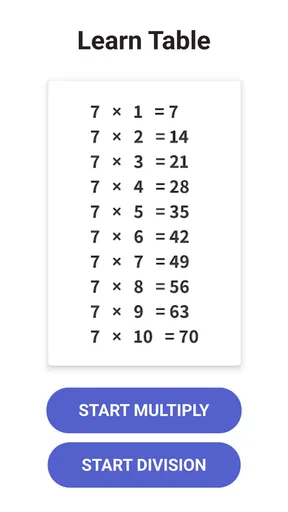
The app even includes a practice mode where you can focus on specific tables you want to master. It’s handy for those who prefer to tackle one challenge at a time.
That focused practice is the feature I would build a routine around. Instead of asking a learner to repeat everything, choose a table that is currently difficult, work on it, and later return to mixed questions to see whether recall holds when the order changes. This alternating approach can help reveal whether someone has memorised a sequence or can retrieve each product independently. It is a simple way to get more value from a short session without treating the game as a complete curriculum.
When another approach is better
Compared with flash cards or a paper worksheet, a game can be more inviting and offer a sense of progression, while paper makes it easier to slow down, write out reasoning, and practise without screen stimulation. Compared with a broad maths-learning app, this one keeps attention on multiplication rather than spreading it across many topics. That focus is a strength when times tables are the immediate need, but a limitation if the learner needs help with division, fractions, word problems, or the foundations behind multiplication. I would pair it with lessons and hands-on explanations instead of expecting it to cover those gaps.
It may not be the right choice for a learner who dislikes animated screens, feels anxious about timed or competitive play, or needs a more accessible input method than tapping. It is also not ideal if the goal is to practise mathematical reasoning across a wider curriculum. In those cases, a calm paper exercise, a one-to-one explanation, or a broader learning resource may serve better. The useful question is not whether a game is universally better than a worksheet, but whether this format helps this learner return to multiplication willingly and think clearly.
Final Thoughts
Overall, Times Table - Learn Math is an app that turns the often daunting task of learning multiplication tables into a fun and engaging activity. Its clever use of gamification, adaptive learning, and social features make it a standout in the educational app space.
My recommendation is measured: I would give it a try for a learner who needs repeated multiplication practice and responds well to game-like motivation, while staying involved enough to notice whether the challenge is helping or distracting. BrainSoft Apps has made a focused educational game rather than a full maths tutor, and that narrow purpose is exactly where it can be useful. A family can begin with one short session, check whether the learner can use the controls comfortably, and decide whether its style supports the kind of practice they need.
So, if you’ve been on the hunt for a tool to make math a little less intimidating and a lot more fun, give this app a shot. You might just find yourself enjoying math in a way you never thought possible!
Pros
- Interactive exercises enhance learning.
- Customizable difficulty levels.
- Child-friendly interface.
- Progress tracking for motivation.
- Offline mode available.
Cons
- Limited content for advanced users.
- Ads can be distracting.
- No multiplayer features.
- Lacks reward system.
- In-app purchases required for extras.
FAQs for Times Table - Learn Math
What age group is Times Table - Learn Math suitable for?
Times Table - Learn Math is designed for children aged 5 and up. It's perfect for young learners just starting to explore multiplication. The app's interactive and engaging interface ensures that kids remain interested, making it suitable for elementary school students who need to strengthen their math skills.
Does Times Table - Learn Math require an internet connection?
No, Times Table - Learn Math does not require an internet connection to function. This makes it convenient for use on the go, allowing children to practice their multiplication tables anytime and anywhere without needing to worry about Wi-Fi or data usage.
Are there any in-app purchases in Times Table - Learn Math?
Yes, Times Table - Learn Math offers in-app purchases. While the basic features are available for free, there are additional content and features that can be unlocked through purchases. These extras can enhance the learning experience but are not necessary for basic use.
How does Times Table - Learn Math keep kids engaged?
Times Table - Learn Math uses a variety of interactive elements, such as games, quizzes, and rewards, to keep children engaged. The app is designed to be visually appealing and fun, which helps maintain a child's interest and encourages regular practice of multiplication tables.
Is there a progress tracking feature in Times Table - Learn Math?
Yes, Times Table - Learn Math includes a progress tracking feature. This allows parents and educators to monitor a child's learning journey and see which multiplication tables they have mastered and which need more practice. The feature provides insights into the child's improvement over time.


